70 templates, free on every plan
Free email templates that look hand-made
Photo-led, mobile-ready email templates for newsletters, welcome emails, sales, holidays and WooCommerce stores. Pick one, make it yours in a drag-and-drop editor, and send. No code, no design skills.
Free plan for up to 2,500 subscribers · No credit card required
- 70
- ready-to-send templates
- 7
- categories, from welcome to Black Friday
- $0
- on the free plan, every template included
- 600px
- responsive layouts for Gmail, Outlook and Apple Mail
Browse the library
Hover a template to scroll through it. Click for a full desktop and mobile preview.
Any template, in your brand, in one click.
Save your logo, colours and fonts once, then apply them to any template in one click.
Can’t find the one you need? Start from a blank canvas, or let the AI draft it for you.
Browse by category
A template for every email you send
Each category comes with advice on when to send and subject lines that get opened.
- 8
Newsletter templates
Weekly digests, creator letters, school and community updates.
- 3
Welcome email templates
First impressions: a founder note, a welcome code, onboarding steps.
- 12
Ecommerce email templates
Cart recovery, order updates, reviews, loyalty, referrals.
- 7
Promotional email templates
Sales, launches, pre-orders, bundles and last-chance reminders.
- 15
Holiday email templates
Black Friday, Christmas, Valentine’s, Mother’s Day and more.
- 6
Event email templates
Invitations, save the dates, webinars, reminders and recaps.
- 19
Small business email templates
Restaurants, salons, studios, hotels, nonprofits and more.
How it works
From template to inbox in minutes
- 1
Pick a template
Start from any design in the library, or from a blank canvas.
- 2
Make it yours
Apply your brand kit, swap the photos, rewrite the copy. Drag blocks to rearrange.
- 3
Send or automate
Send it as a campaign today, or drop it into a welcome, cart or win-back flow.
Why these templates
Designed to be sent, not just admired
Drag and drop, no code
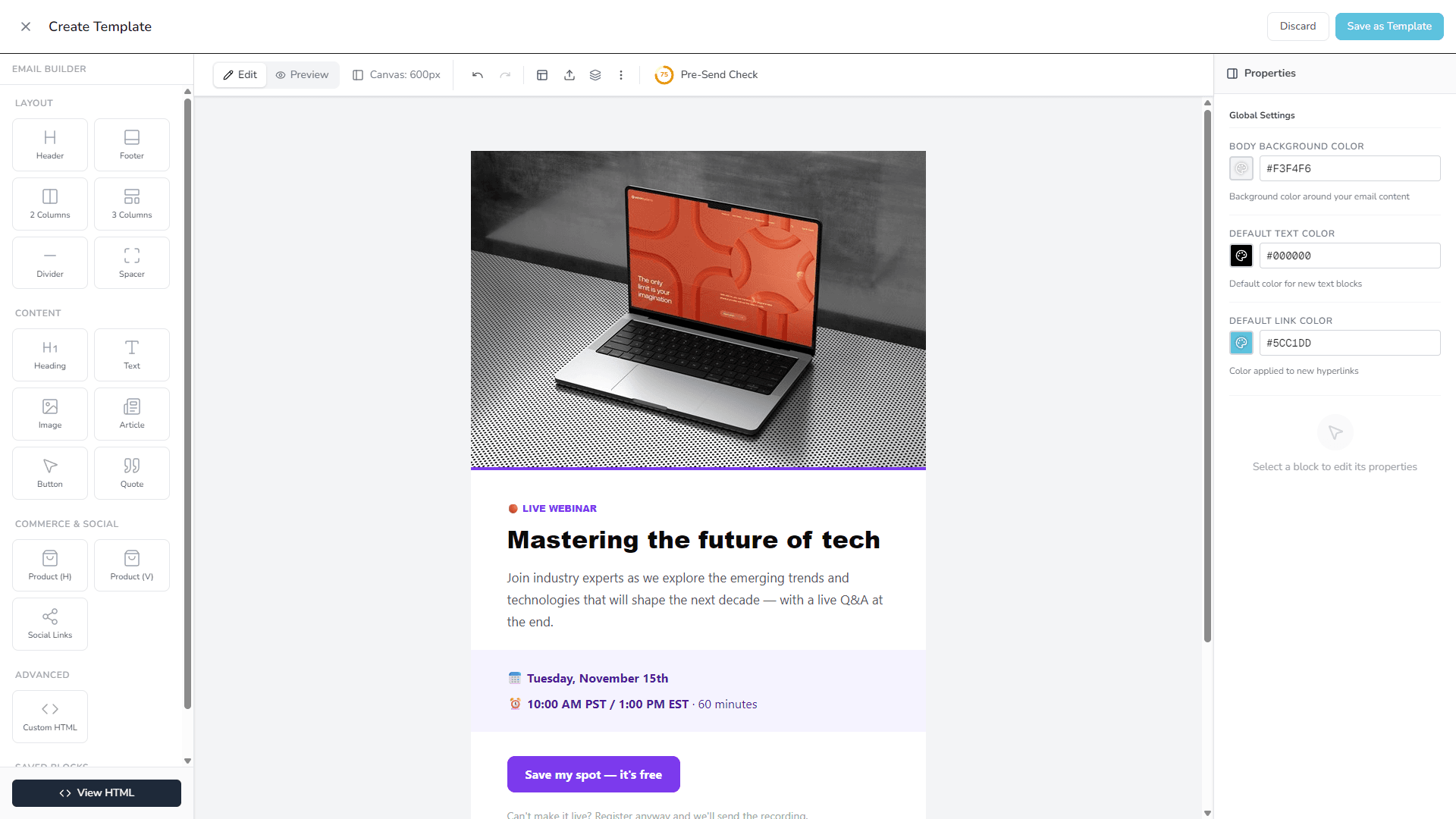
Every template opens as editable blocks. Click text to change it, drag sections to move them.
Your brand in one click
Save your logo, colours and fonts as a brand kit and apply it to any template.
Built for every inbox
Table-based HTML with inline styles that holds up in Gmail, Outlook and Apple Mail, and stacks on phones.
Products from your store
Connect WooCommerce and product blocks fill with your own best sellers, new arrivals or cart items.
Real photos included
Every template ships with free CC0 photography, so it looks finished before you change a thing.
Campaigns and automations
Use the same template for a one-off send or as a step in an automated flow.
Frequently asked questions
Are these email templates really free?
Yes. Every template on this page is included on every PostBeagle plan, including the free plan for up to 2,500 subscribers. No template is locked behind an upgrade and you never need a credit card.
Do I need to know HTML or code to use them?
No. Each template opens in the drag-and-drop email builder as separate blocks: click any text to edit it, swap images, recolour sections, and drag blocks to rearrange them.
Are the templates mobile-friendly and do they work in Outlook and Gmail?
Yes. The templates are built with table-based HTML and inline styles, the approach that renders reliably in Gmail, Outlook, Apple Mail and Yahoo, and they stack into a single column on phones.
Can I add my own logo, colours and fonts?
Yes. Save your logo, colours and fonts as a brand kit once, then apply it to any template in one click. You also get a set of designs drawn in your brand from the start, and you can restyle any template block by block.
Can I use the photos in the templates?
Yes. The photos are free stock images released under CC0, so you can send them as they are. Most people swap in their own photos, which takes one click per image.
Can I use these templates in automated emails?
Yes. Any template can be used in an automation, such as a welcome series, abandoned cart recovery or a win-back flow, as well as in one-off campaigns.
Can I get the HTML of a template?
You can view any email’s HTML in the builder, but the templates are made to be sent from PostBeagle, where unsubscribe links, tracking and your sender details are filled in for you at send time.
Your next email is already designed.
Create a free account, pick a template and send it to up to 2,500 subscribers without paying a thing.
- Free plan, no time limit
- No credit card
- Every template included