Free ecommerce email templates
Store emails do the quiet work that keeps customers buying: reminding them what they left in the cart, telling them their order is on its way, asking how it went, and thanking them on their birthday. These templates cover the full customer journey, and their product rows fill with your own products when you connect a WooCommerce store.
Free plan for up to 2,500 subscribers · No credit card required
- 70
- ready-to-send templates
- 7
- categories, from welcome to Black Friday
- $0
- on the free plan, every template included
- 600px
- responsive layouts for Gmail, Outlook and Apple Mail
All ecommerce email templates
Hover a template to scroll through it. Click for a full desktop and mobile preview.
Any template, in your brand, in one click.
Save your logo, colours and fonts once, then apply them to any template in one click.
Can’t find the one you need? Start from a blank canvas, or let the AI draft it for you.
The playbook
How to get the most from ecommerce email templates
When to send
- Abandoned cart: one to four hours after the cart is left, with a gentle follow-up a day later
- Order and shipping updates: as soon as the status changes
- Review requests: a few days after delivery, once the product has been used
- Loyalty, birthday and anniversary emails: on the date, every year, automatically
Subject lines to try
- Still thinking it over?
- Good news: your order is on its way
- How did we do?
- A little birthday something for you
Real products, filled in for you
Connect your WooCommerce store and product blocks pull your best sellers, new arrivals or the exact items left in a cart at send time. No copying product photos and prices by hand.
Try it freeHow it works
From template to inbox in minutes
- 1
Pick a template
Start from any design in the library, or from a blank canvas.
- 2
Make it yours
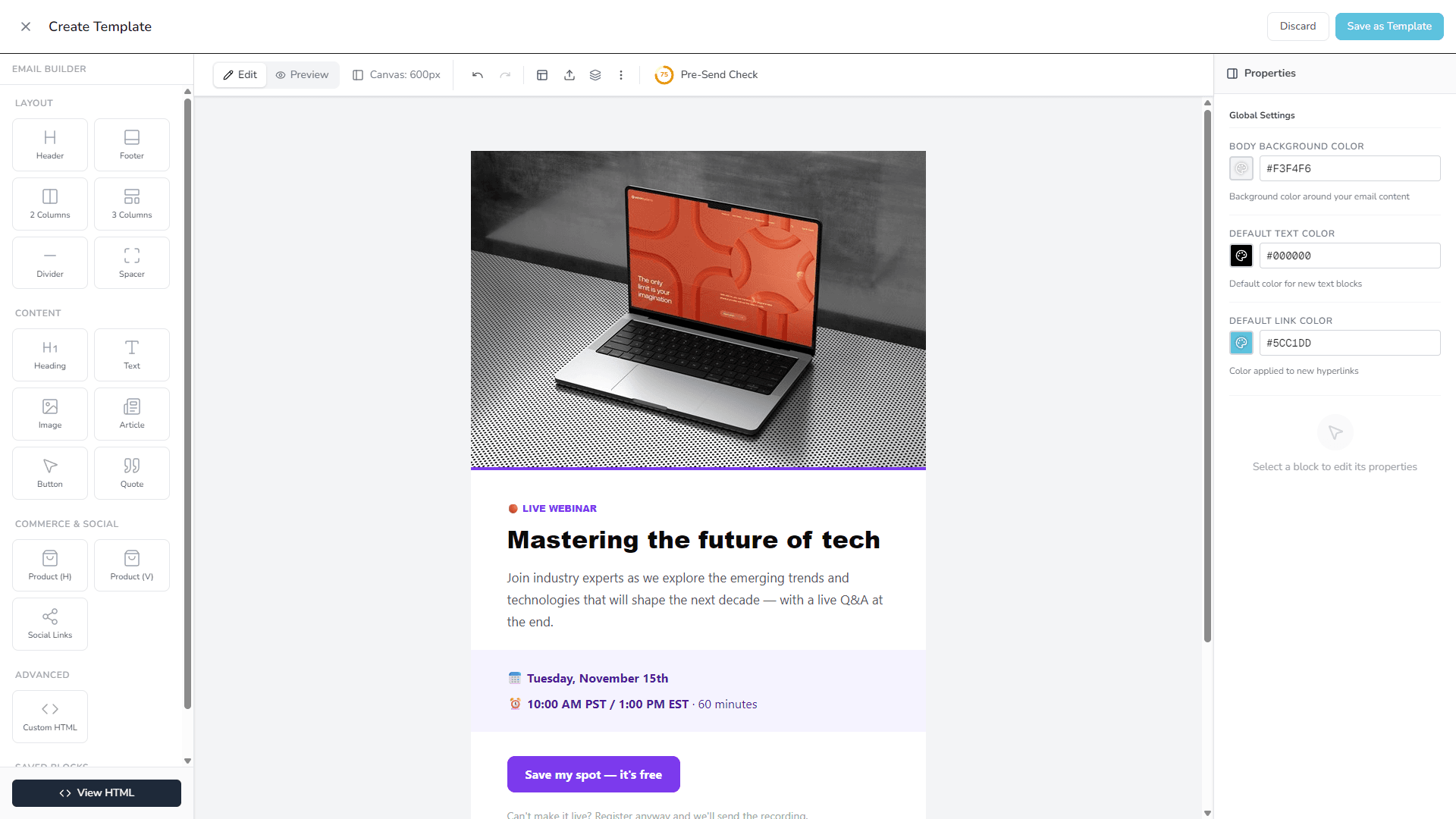
Apply your brand kit, swap the photos, rewrite the copy. Drag blocks to rearrange.
- 3
Send or automate
Send it as a campaign today, or drop it into a welcome, cart or win-back flow.
Why these templates
Designed to be sent, not just admired
Drag and drop, no code
Every template opens as editable blocks. Click text to change it, drag sections to move them.
Your brand in one click
Save your logo, colours and fonts as a brand kit and apply it to any template.
Built for every inbox
Table-based HTML with inline styles that holds up in Gmail, Outlook and Apple Mail, and stacks on phones.
Products from your store
Connect WooCommerce and product blocks fill with your own best sellers, new arrivals or cart items.
Real photos included
Every template ships with free CC0 photography, so it looks finished before you change a thing.
Campaigns and automations
Use the same template for a one-off send or as a step in an automated flow.
Frequently asked questions
Do these templates work with WooCommerce?
Yes. Install the free PostBeagle plugin and product blocks fill with your store’s products, while automations trigger the right template on abandoned carts and placed orders.
Which ecommerce emails should a store set up first?
Start with abandoned cart recovery and a welcome email, because they bring in the most revenue for the least effort. Then add a review request and a win-back email for customers who have gone quiet.
Are these email templates really free?
Yes. Every template on this page is included on every PostBeagle plan, including the free plan for up to 2,500 subscribers. No template is locked behind an upgrade and you never need a credit card.
Do I need to know HTML or code to use them?
No. Each template opens in the drag-and-drop email builder as separate blocks: click any text to edit it, swap images, recolour sections, and drag blocks to rearrange them.
Are the templates mobile-friendly and do they work in Outlook and Gmail?
Yes. The templates are built with table-based HTML and inline styles, the approach that renders reliably in Gmail, Outlook, Apple Mail and Yahoo, and they stack into a single column on phones.
Your next email is already designed.
Create a free account, pick a template and send it to up to 2,500 subscribers without paying a thing.
- Free plan, no time limit
- No credit card
- Every template included